Retexture 3D Model with AI Online
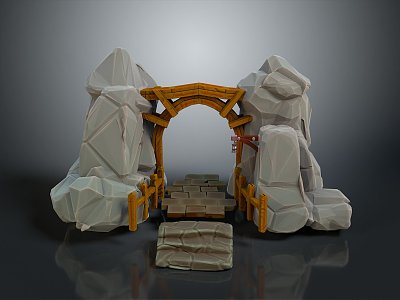
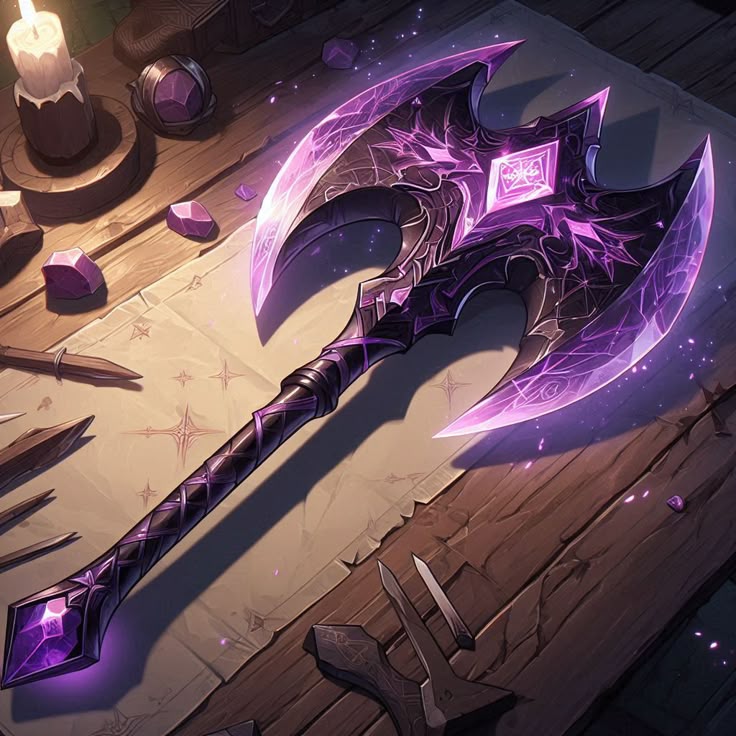
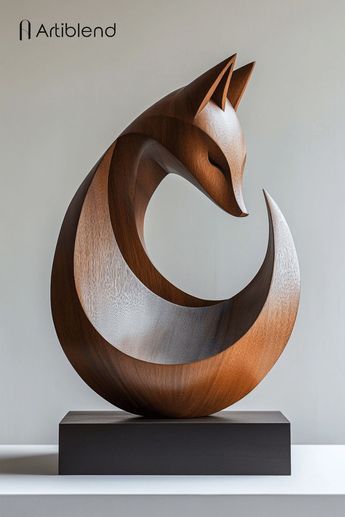
Use our advanced AI to perform Model Retexturing instantly. Upload any 3D model, describe the new surface appearance, and our Retexture AI will generate and apply stunning new textures. This Retexture 3D process eliminates all manual work, making professional Model Retexturing accessible to everyone.
AI-Powered Retexture 3D Technology
Our advanced Retexture AI engine performs sophisticated Model Retexturing automatically. Simply describe your desired material—whether it's weathered metal, polished wood, or sci-fi carbon fiber—and our Retexture 3D Model technology generates complete PBR texture sets. This AI-driven approach to retexture 3D assets eliminates weeks of manual painting and UV editing work.

Complete Control for Model Retexturing
Maintain complete creative control throughout the Retexture 3D Model process. Our Retexture AI technology allows rapid iteration with text prompts, reference images, or predefined style presets. Adjust texture parameters in real-time to perfect your Model Retexturing results. This flexible approach to retexture 3D assets makes our tool perfect for designers who need precise control over their Retexture 3D outcomes.

Production-Ready Retexture 3D Output
Receive production-ready models after every Model Retexturing process. Our Retexture 3D tool outputs assets with optimized UVs and full PBR texture sets (Albedo, Normal, Roughness, Metallic) that work perfectly in Unity, Unreal Engine, and Blender. Whether you need to retexture 3D characters, props, or environments, our Retexture AI ensures professional-grade results every time.

Universal Format Support for Retexture 3D
Our online Retexture 3D Model tool supports all major file formats. Upload models in OBJ, FBX, or GLB format for Model Retexturing and download the retextured results in your preferred format. This Retexture 3D capability is essential for workflows involving game development, 3D printing, AR/VR, and architectural visualization where consistent Model Retexturing is required across multiple platforms.

What Creators Say About Our To 3D AI Platform
Join thousands of developers, designers, and artists who trust our AI 3D model generator for their professional workflows
Noah Böhringer
Game Developer at BHR Studios
This is without a doubt the best text to 3D AI model generator available. The image to 3D AI conversion produces incredibly detailed models that saved our studio hundreds of hours in modeling time.
Tim Karlowitz
Website Developer
The speed at which I can generate 3D models with this To 3D AI platform is astonishing. The AI 3D model generator has simplified my workflow and given my applications an aesthetic uplift that impresses clients.
Junior Lopez
3D Artist
The best image to 3D AI model generator out there. Unmatched quality from my comparisons. This To 3D AI tool has saved me so much time and money while delivering the realistic detail I need.
Paul Hoover
Game Studio Director
3D AI Studio's text to 3D AI model generator produces far superior output with highly detailed, realistic models. The AI 3D model generator includes amazing tools for source image generation and retexturing.
Yuri Shmorgun
Indie Developer
Mind-blowing results from this To 3D AI platform. The image to 3D AI model generator creates cool game assets within minutes with optimized topology ready for game engines.
Ian Chaplin
3D Printing Specialist
I've tried several 3D modeling solutions, but this AI 3D model generator stands out for both product quality and support. The text to 3D AI generator consistently produces printable models.
Brad J Bigner
Game Asset Creator
The To 3D AI platform creates models that won't break the bank. The image to 3D AI model generator converted my 2D artwork into AAA-quality character models with armor that looks professional.
Sarah Chen
Architectural Visualizer
This AI 3D model generator has revolutionized our architectural visualization workflow. The text to 3D AI generator creates accurate furniture and environment models that integrate perfectly into our scenes.
Mike Rodriguez
Product Designer
The To 3D AI platform's image to 3D AI model generator transformed our product design process. We can now create 3D prototypes from sketches in minutes instead of days.
Alex Thompson
VR Developer
As a VR developer, I need optimized 3D assets quickly. This AI 3D model generator delivers perfectly optimized models through both text to 3D AI and image to 3D AI workflows.
Jessica Williams
Animation Director
The character models generated by this To 3D AI platform have clean topology that's perfect for animation. The text to 3D AI model generator understands anatomical proportions remarkably well.
Frequently Asked Questions About Retexture AI and Model Retexturing
What exactly does it mean to Retexture a 3D Model with AI technology?
To Retexture a 3D Model with AI means using artificial intelligence to completely transform the surface appearance of an existing 3D asset while preserving its geometry. This Model Retexturing process involves generating new textures, materials, and surface details based on your text descriptions or reference images. Our Retexture AI technology analyzes your model and intelligently creates appropriate texture maps that wrap perfectly around your 3D geometry. This AI-driven approach to retexture 3D assets represents a revolutionary advancement in digital content creation, making professional-quality Model Retexturing accessible to users of all skill levels.
How does your Retexture AI technology handle complex Model Retexturing tasks?
Our Retexture AI technology employs sophisticated neural networks specifically trained for Model Retexturing applications. When you upload a model and provide material descriptions, the Retexture AI system performs several advanced operations: it analyzes geometric features, generates appropriate UV mapping, creates physically accurate texture maps, and intelligently applies materials to different surface regions. This comprehensive approach to retexture 3D models ensures that even complex assets with intricate details receive proper texturing treatment. The Retexture 3D Model process maintains texture consistency across seams and handles challenging geometric features that typically cause issues in manual Model Retexturing workflows.
What 3D file formats work best with your Retexture 3D Model tool?
Our Retexture 3D Model tool supports all industry-standard formats for optimal Model Retexturing results. For input, we recommend OBJ, FBX, or GLB files with clean topology for the best Retexture AI performance. After the Retexture 3D process completes, you can download your transformed model in multiple formats along with complete texture sets. This format flexibility makes our Retexture AI solution ideal for diverse applications, whether you need to retexture 3D characters for games, architectural models for visualization, or product designs for 3D printing. Each format supported by our Retexture 3D Model tool ensures compatibility with popular 3D software and game engines.
Do I need UV mapping expertise to use your Retexture AI for Model Retexturing?
No UV mapping expertise is required to use our Retexture AI technology for Model Retexturing. A key advantage of our Retexture 3D Model system is automatic UV handling during the retexture 3D process. The Retexture AI intelligently analyzes your model's geometry and generates optimized UV layouts as part of the Model Retexturing pipeline. Even models with poor or no existing UVs can be successfully processed by our Retexture 3D tool. This automatic UV management feature makes professional Model Retexturing accessible to everyone, eliminating what has traditionally been one of the most technical barriers to high-quality 3D texturing and retexture 3D workflows.
Can I commercially use models that have undergone AI Model Retexturing?
Yes, you retain full commercial rights to all models processed through our Retexture 3D Model service. When you use our Retexture AI technology to retexture 3D assets, the resulting models are completely yours for commercial use in games, animations, products, or any other applications. This commercial freedom applies to all Model Retexturing results generated by our platform. Whether you're an individual creator, studio, or enterprise, you can confidently integrate AI-retextured 3D models into commercial projects. Our Retexture 3D technology ensures that all generated content is free from licensing restrictions for the outputs of your Model Retexturing sessions.
How quickly can your Retexture AI perform Model Retexturing on complex assets?
Our Retexture AI system performs Model Retexturing with remarkable speed and efficiency. Most standard 3D models undergo complete Retexture 3D transformation within 30 seconds to 2 minutes, depending on complexity. This rapid processing enables what we call "iterative Model Retexturing"—the ability to experiment with dozens of material variations in a single session. You can quickly test different approaches to retexture 3D assets, comparing variations like "weathered bronze," "polished chrome," or "matte rubber" in minutes rather than days. This speed revolutionizes traditional Model Retexturing workflows and significantly accelerates content production pipelines through efficient Retexture 3D processing.
Does your Retexture 3D Model tool support PBR workflows for professional Model Retexturing?
Absolutely. Our Retexture 3D Model tool is specifically engineered for professional PBR (Physically Based Rendering) workflows essential for modern Model Retexturing. When the Retexture AI processes your model, it generates complete PBR texture sets including Albedo, Normal, Roughness, Metallic, and Ambient Occlusion maps. This comprehensive approach to retexture 3D assets ensures physically accurate material representation that responds correctly to different lighting conditions. The Retexture 3D Model outputs integrate seamlessly with all major game engines and renderers that support PBR pipelines, making our Model Retexturing solution ideal for professional production environments requiring industry-standard material workflows.
Can I perform selective Model Retexturing on specific parts of a 3D model?
Yes, our Retexture AI technology supports selective Model Retexturing for precise control over different model regions. You can target specific mesh areas using text descriptions like "apply leather material only to the seat portions" or "add metallic finish to the mechanical components only." For even more precise control, our advanced Retexture 3D Model interface allows masking and selective application of different materials to distinct model regions. This selective Model Retexturing capability is particularly valuable when you need to retexture 3D characters with multiple material types or architectural models with varied surface treatments across different building elements.
How does Retexture AI technology compare to traditional Model Retexturing methods?
Retexture AI technology represents a paradigm shift compared to traditional Model Retexturing methods. Conventional approaches require extensive manual work in applications like Substance Painter, involving hours of painting, layer management, and UV adjustments. In contrast, our Retexture 3D Model system automates the bulk of this work through artificial intelligence. The Retexture AI understands material properties, geometric context, and artistic intent to produce professional results rapidly. While traditional Model Retexturing offers detailed manual control, our Retexture AI provides unprecedented speed and accessibility for the retexture 3D process, making it ideal for rapid prototyping, iterative design, and projects with tight deadlines where traditional Model Retexturing would be impractical.
Is there a free trial available to test your Retexture 3D Model capabilities?
Yes, we offer a comprehensive free trial so you can experience our Retexture AI technology firsthand. This trial allows you to upload models and perform actual Model Retexturing operations using our Retexture 3D Model tool. You'll be able to test the full Retexture AI workflow—from uploading assets and describing desired materials to downloading professionally retextured 3D models. This hands-on experience demonstrates how our Retexture 3D technology can accelerate your workflow, reduce production costs, and unlock creative possibilities through efficient Model Retexturing. The trial is designed to showcase the practical benefits of AI-powered retexture 3D solutions for both individual creators and production teams.
Ready to Transform Your Ideas into 3D Reality?
Join thousands of creators using our advanced To 3D AI technology. Generate your first 3D model instantly with our powerful AI 3D model generator - no credit card required for the free trial.